Stop babysitting your AI.
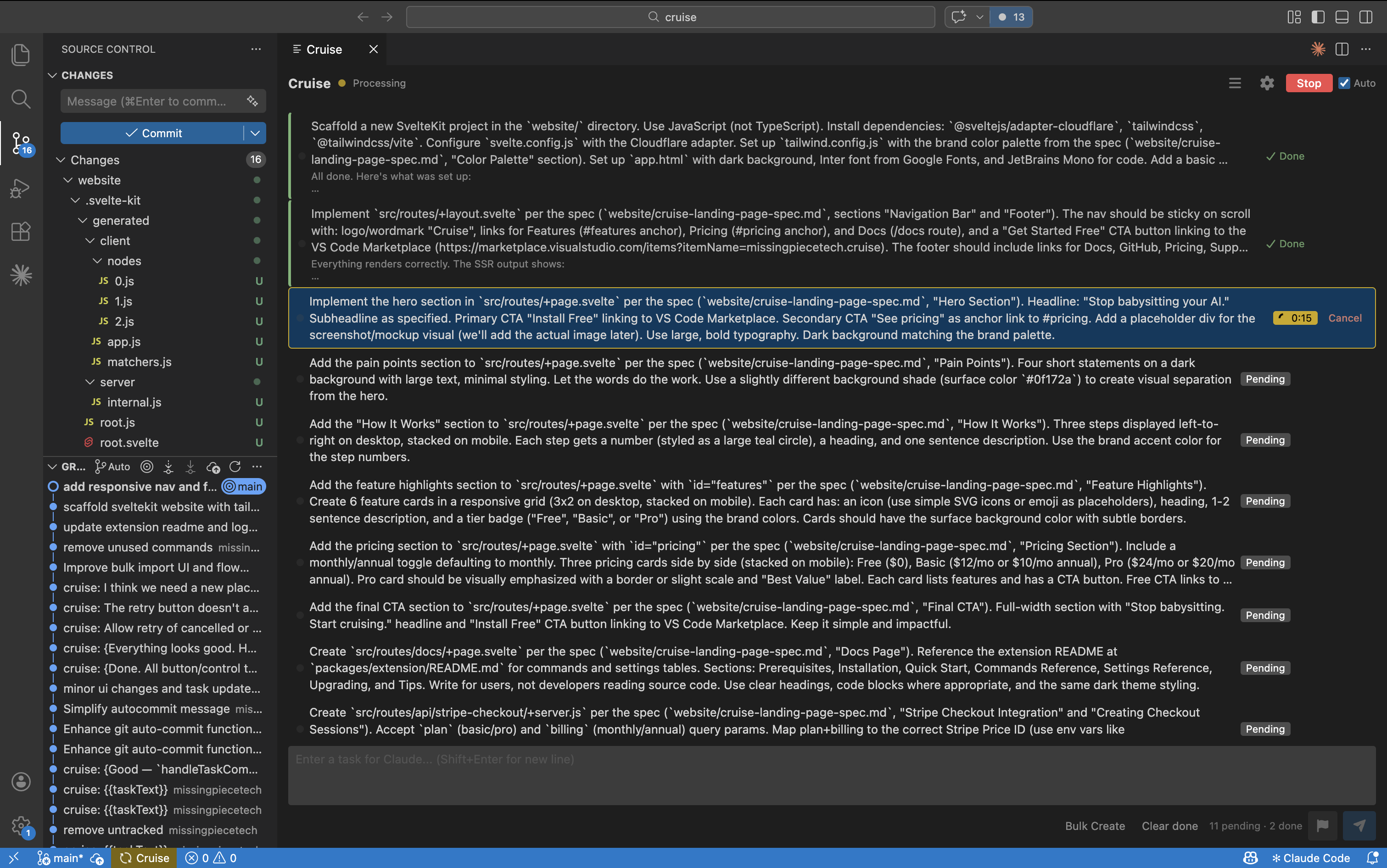
Queue up tasks. Walk away. Come back to finished work. Cruise turns Claude Code into an autonomous workhorse.
How it works
Queue your tasks
Add tasks to the Cruise panel in VS Code. Type them, paste a list, or bulk import.
Hit Start
Cruise sends tasks to Claude Code sequentially via the official JSON streaming interface.
Walk away
Come back to finished work. Cruise handles completions, errors, rate limits, and commits.
Sound familiar?
You're paying for idle time
$20–200/mo for Claude, but it sits there doing nothing every time you step away from the keyboard.
You're the bottleneck
One prompt at a time means Claude waits for you, and you wait for Claude. Neither of you should be waiting.
Rate limits kill your flow
You're staring at a terminal watching a countdown tick, losing momentum you'll never get back.
Copy-paste isn't engineering
You didn't learn to code so you could spend your day manually feeding prompts into a CLI.
Features
Everything you need to run Claude Code on autopilot.
Autonomous queue processing
Tasks run one at a time, automatically advancing on completion. Add, edit, reorder, and prioritize tasks while the queue runs.
Smart error recovery
Configure how failures are handled: stop, skip, retry once, or retry N times. The queue keeps moving.
Bulk import
Paste a numbered list, JSON array, or planning notes. Cruise parses them into individual queue items.
Notifications with sound
Get notified when tasks complete, fail, or when the entire queue finishes. Never miss a beat.
Rate limit auto-resume
Cruise detects Claude rate limits, shows a live countdown, and resumes automatically. No babysitting.
Git auto-commit
Each completed task gets its own commit with a configurable message template. Review, revert, or cherry-pick individual results.
Planning mode
Chat with Claude to plan your work, then generate a structured task list and add it straight to the queue.
Pricing
Start free. Upgrade when you need more.
Free
- Unlimited queue
- Auto-advancement
- Priority levels
- Error & rate limit detection
- One-click resume
Basic
Everything in Free, plus:
- Bulk import
- Auto-retry and resume after errors
- Notifications with sound
- Sleep prevention
Pro
Everything in Basic, plus:
- Rate limit auto-resume with countdown
- Git auto-commit with templates
- Planning mode Coming Soon
By subscribing, you agree to our Terms of Service and Privacy Policy.
Frequently asked questions
Do I need a Claude subscription?
Yes. Cruise uses the Claude Code CLI, which requires Claude Pro ($20/mo) or higher.
Can I cancel anytime?
Yes. Manage your subscription through Stripe. You keep access through the end of your billing period.
How do I activate after subscribing?
It's automatic. After checkout, you're redirected back to VS Code and your plan activates immediately. You can also subscribe directly from the Cruise panel inside VS Code.
Does Cruise access my code?
No. Cruise sends your task descriptions to Claude Code the same way you would type them. It does not read, store, or transmit your code.